



WebAR Retail Activations: QR Codes, Gamification and Digital Rewards
How can a retail brand turn a QR code into an interactive experience rather than another landing page? A browser-based augmented reality (WebAR) campaign can connect physical stores with 3D content, playful challenges and a clear next action. But the successful part is not the AR effect alone: it is how visitors move through the experience, how progress is recorded and how staff handle the final reward.

What is a WebAR retail activation?
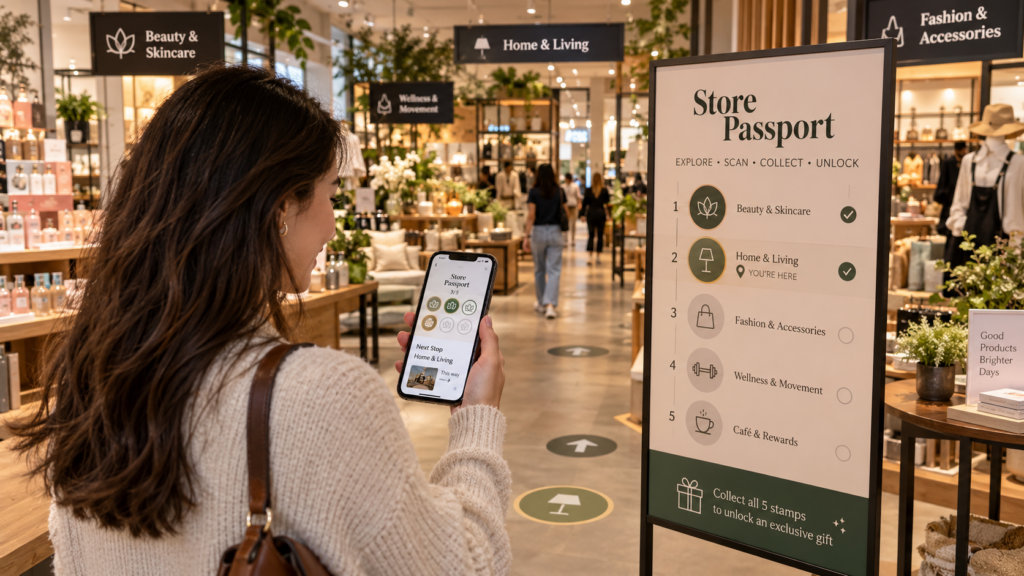
A WebAR retail activation lets visitors access compatible augmented reality content through a mobile browser, often after scanning a QR code in a store. A brand may use it for a product demonstration, an interactive character, a scavenger hunt or a digital loyalty experience. Unlike a conventional app-based campaign, it can reduce the friction of asking customers to download an application. Browser and device compatibility still needs testing, especially when camera access and 3D placement are required.
From QR code to a complete customer journey
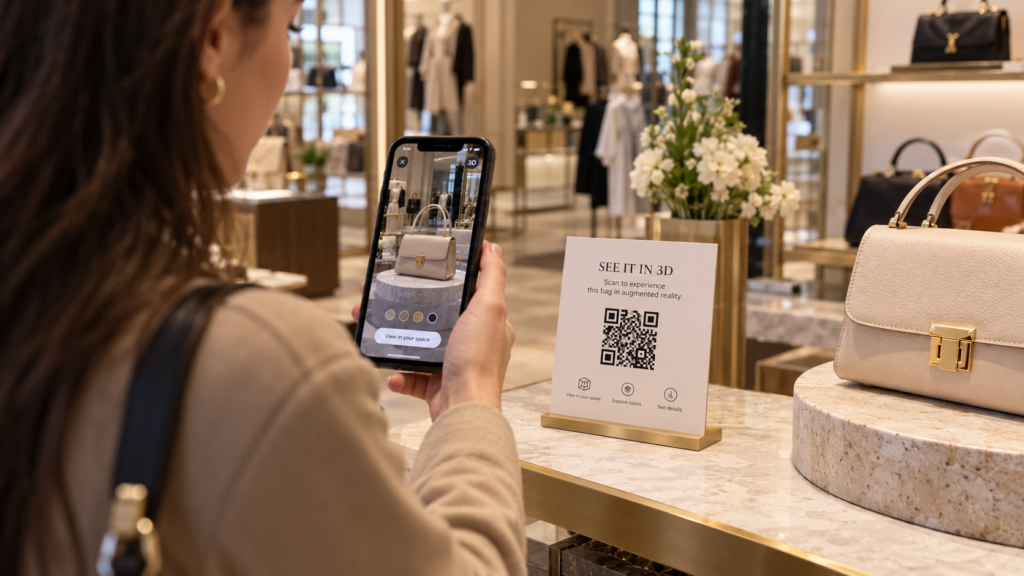
- Discovery: the customer notices an in-store display and scans a clearly presented QR code.
- Entry: a mobile page explains the experience, requests camera permission only when necessary and provides a straightforward way to continue.
- Interaction: an AR character, product or 3D scene appears with intuitive touch controls, such as scaling or rotating.
- Progress: visitors complete a series of activities or collect digital stamps at designated locations.
- Completion: the experience displays an unambiguous success state and, if rewards are involved, the appropriate redemption instructions.
- Measurement: the brand reviews aggregate participation, completed journeys and technical errors, with privacy-conscious analytics.
The exact sequence depends on the venue. A small store may need one quick interaction, while a larger retail event may justify multiple checkpoints. More steps are not automatically better: each additional action should offer a clear reason for visitors to continue.
Four practical design decisions before development
1. Make the experience easy to start
Place QR codes where people can stop safely, provide a short explanation and ensure the landing page loads quickly on mobile data. Give visitors a clear fallback when their device cannot use the full AR mode.
2. Choose an appropriate progress mechanism
For multi-location experiences, progress can be tied to a browser session or a pseudonymous visitor identifier. Decide how to handle reloads, duplicate scans, private browsing and users who switch devices. Avoid collecting personal data unless the campaign genuinely requires it.
3. Plan reward redemption carefully
If a campaign awards a prize or voucher, define the redemption process before designing the front-end. A one-time code or cashier-verified token can be appropriate, but it needs server-side validation, expiration and duplicate-redemption checks. A visual success screen alone is not sufficient protection.
4. Design for the actual store environment
Check lighting, Wi-Fi or cellular reception, visitor flow, signage, staff instructions, accessibility and the time required at each checkpoint. A good AR experience should not obstruct store operations or create queues unnecessarily.
How much technology does a retail WebAR campaign need?
There is no single technical architecture for every project. A simple demonstration can use a mobile webpage with lightweight 3D content. A multi-store digital passport may also need an application backend, database, campaign administration, anti-abuse checks and a controlled reward-redemption workflow. Define those requirements before estimating development costs.
Important performance considerations include 3D model optimisation, asset loading, mobile browser support, safe handling of camera permissions and recoverable progress. A realistic acceptance plan tests the entire visitor journey on the actual devices and networks expected at the venue.
Where does immersive content add real value?
AR is most effective when it makes the interaction more memorable or more useful. An animated 3D mascot can introduce a brand story; a product model can help customers explore details; a short interactive mission can encourage exploration of a retail space. It is worth comparing these concepts against a non-AR alternative: the added complexity should deliver a visible benefit.
For a published example of interactive WebAR work, explore Fourthedesign’s WebAR application with a customisable 3D character. For a different gamified approach, see the Ocean Recovery WebAR game prototype. These are distinct examples, not representations of a generic retail passport deployment.
Checklist for a retail WebAR brief
- Campaign goals, audience and number of stores or activation points.
- Desired 3D content and whether camera-based AR is essential.
- Supported devices, mobile browsers and fallback behaviour.
- QR-code placement, interaction duration and visitor-flow constraints.
- Whether visitors need saved progress, rewards or staff assistance.
- Privacy requirements, anti-abuse checks and analytics.
- Testing, deployment responsibilities and maintenance period.
Frequently asked questions
Do customers need to install an app?
Not necessarily. WebAR can run through compatible mobile browsers without a separate app installation, though specific capabilities and device support must be verified.
Can one campaign work across several stores?
Yes, with a suitable design for QR checkpoints, shared progress and any reward-redemption process. The complexity depends on how many stores, locations and user states need to be coordinated.
Can we track participation without names or email addresses?
Often yes. Anonymous or pseudonymous identifiers and aggregated analytics can support many campaign goals. The precise privacy design should follow the requirements and applicable legal obligations.
Can visitors redeem the same digital reward twice?
A properly designed server-side redemption mechanism can reject reuse of a one-time token. Its reliability must be tested; screenshots or purely client-side checks are not enough.
Plan a WebAR retail activation with Fourthedesign
Fourthedesign combines real-time 3D, augmented reality and interactive application development. We can help define the customer journey, design the digital interaction and develop a solution suited to the physical location and target devices. Explore our AR development services or contact Fourthedesign with your activation brief.

