



VR Safety Training for Industry: Scenarios, Equipment, Costs & Implementation
What happens when an employee faces a fire, an electrical hazard or an unexpected equipment failure for the first time? A slide presentation can explain what should happen. A well-designed VR safety training application lets the employee recognize a hazardous situation, make a decision and observe the outcome inside a controlled digital environment. It gives organizations a practical way to rehearse difficult situations without deliberately creating danger in the workplace.
Virtual reality is not a magic safety certificate, nor is it a replacement for practical instruction, competent trainers or site-specific procedures. Used appropriately, however, it can add an important experiential layer to an occupational health and safety program. This article explains industrial VR safety scenarios, learning design, hardware, costs, evaluation and implementation—and how Fourthedesign approaches interactive industrial simulations in Greece.

What Is VR Safety Training for Industry?
VR safety training uses an immersive digital environment to help learners identify hazards, practise decisions and understand the possible consequences of their actions. The participant wears a compatible headset and can look around a factory, construction site, warehouse or technical facility. Depending on the application, they may inspect equipment, select responses, interact with virtual tools, follow a guided task or complete a short assessment.
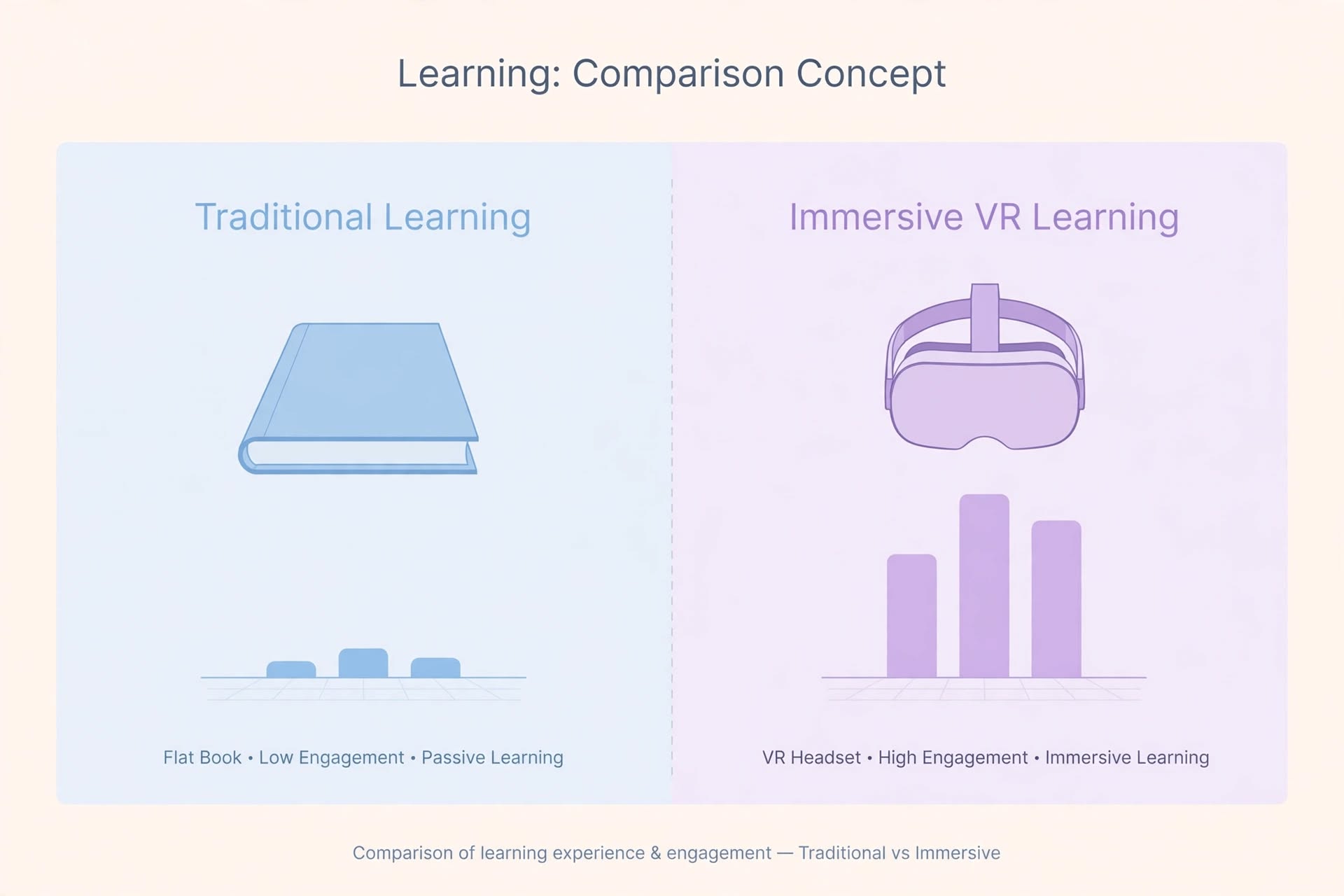
The difference from passive 360-degree video is interaction. A 360-degree recording can show a workplace from a fixed camera position; an interactive VR simulation can present different situations, respond to user actions and record decisions. Not every project needs high-end graphics. For hazard recognition, a clear layout and realistic cues may matter more than decorative detail.
A successful program starts with a precise learning goal: for example, recognizing unsafe conditions, choosing the correct escalation route, following a site-approved procedure or understanding what information should be communicated to a supervisor. The training designer and the client’s qualified HSE specialists define acceptable actions. Developers then translate those requirements into reliable interactions.
Seven Practical VR Workplace Safety Scenarios
The following are illustrative scenarios a company could commission. They are not claims that Fourthedesign has already delivered each scenario. The final activities, equipment representations and responses must be approved against the client’s actual risk assessment and procedures.
1. Fire Recognition and Emergency Evacuation
A worker begins an ordinary shift inside a simulated facility. An alarm, smoke indication or warning message changes the situation. The training can ask the participant to recognize the event, identify an available exit path, respond to instructions and communicate with the appropriate personnel. The objective is to practise awareness and decisions, not to create realistic heat or physical exposure.
Different scenario variations might introduce a blocked corridor, poor visibility or a missing colleague. The sequence should follow the facility’s approved emergency plan. Training on real equipment and the organization’s emergency drills remain separate requirements.
2. Electrical Hazards and Unsafe Work Areas
In a virtual plant room, the trainee inspects visual warnings, damaged equipment or a restricted electrical area. The application tests whether they recognize conditions that require stopping work and contacting an authorized specialist. A VR module must not encourage users to attempt electrical intervention beyond their qualifications. If lockout/tagout concepts are included, qualified experts should approve every simulated step.
3. Slips, Trips and Falls
A simulated warehouse or maintenance route may contain a spill, loose cable, open access panel or an obstructed passage. The participant identifies hazards during a realistic movement task and reports or addresses them according to the site procedure. This lends itself to short, repeatable exercises for onboarding and refresher training.
4. Working at Height and Fall Prevention
VR can show the difference between well-controlled and poorly controlled work-at-height conditions without placing anyone near a real edge. Learners can assess a scene for missing protections or unsafe access arrangements. Actual harness fitting, anchor-point assessment and competent supervision still require appropriate real-world instruction and verification.
5. Machine Guarding and Unexpected Equipment Behaviour
In an equipment-focused scenario, a trainee inspects a production area and identifies warning signs, unsafe access or missing guarding. A branching scenario may demonstrate how an apparently minor shortcut creates additional risk. The emphasis is on hazard recognition, stopping and escalating appropriately—never on teaching unapproved machine interventions.
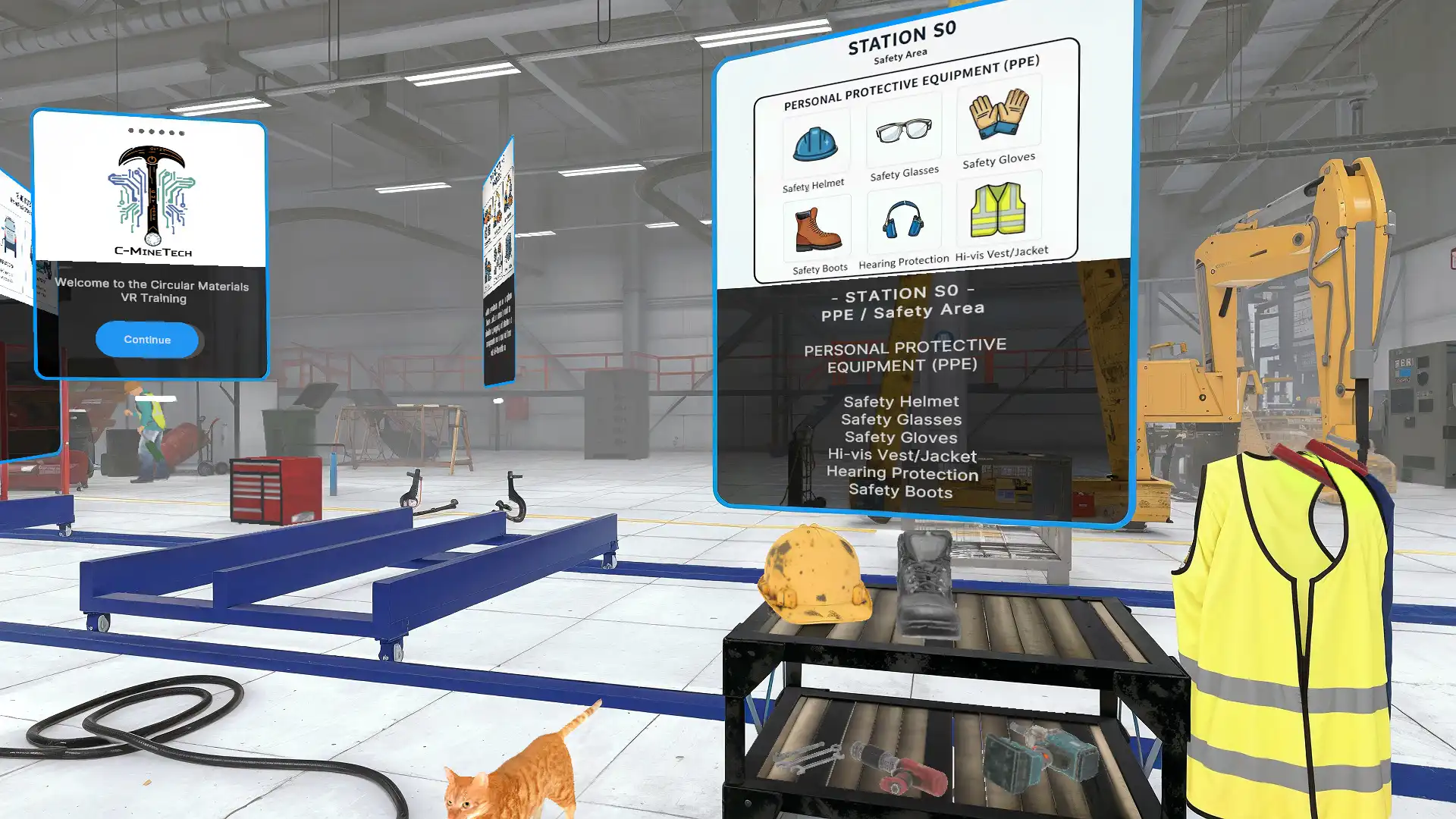
6. Personal Protective Equipment and Site Orientation
New employees can explore a digital replica or representative industrial environment, locate designated safety areas and understand which equipment is associated with different tasks. A headset can check recognition and selection, but it cannot by itself prove that a worker can correctly fit, use, maintain or remove real protective equipment. That competence must be demonstrated under the applicable training rules.
7. Incident Communication and Team Coordination
Not every safety problem is solved by a single correct button press. Some situations require a worker to assess incomplete information, alert others and communicate with a supervisor. VR scenarios can model the consequences of delayed communication, confusion about roles or incomplete handovers. In multiplayer training, different participants may perform separate roles, but networking adds significant scope and testing requirements.
How a Training Session Works: What Does the Employee Actually See?
A useful VR experience should be easy to understand even for a person who has never used a headset. The participant usually begins in a neutral welcome area or a simplified representation of the worksite. The first instructions explain how to look around, interact with objects and pause the experience. A facilitator should be available to help with equipment and answer questions.
Next comes the guided training mode. For example, the employee moves through a simulated plant and is asked to inspect the area before beginning a task. Selectable locations show relevant information; alerts indicate what deserves attention. When the participant chooses an action, the system provides feedback explaining why that decision was appropriate or why a hazard was missed.
The assessment mode can repeat the situation with fewer hints. The application may record which hazards were identified, whether critical decisions were correct, how much assistance was needed and whether the task was completed. A results screen can then support a debrief with the instructor. A score is useful only when it represents validated learning objectives—not merely speed or game-like activity.
How Can VR Safety Training Help Businesses?
Safe rehearsal: employees can encounter unusual scenarios in a controlled digital setting rather than being intentionally exposed to hazardous events. The VR room itself still needs physical safeguards, such as enough clear space and appropriate supervision.
Repeatable learning: teams at different locations can follow consistent scenario rules and learning objectives. Repetition is especially useful for rare incidents that are difficult to recreate safely during regular operations.
Active participation: users must pay attention, identify conditions and make decisions. For some learning objectives, that creates more meaningful practice than a one-way presentation. Results vary depending on the quality of instruction and the users.
Training feedback: the system can record task outcomes, hazard identification and responses. HSE and L&D managers can use that information to improve the curriculum, but data collection should respect privacy, data minimization and the organization’s policies.
Evidence from research is encouraging, but it does not justify promising a fixed percentage reduction in accidents. A 2023 systematic review examined how the effectiveness of VR safety training has been evaluated, including knowledge tests, VR performance and transfer to real tasks. A study of work-at-height training also reported improved short-term learning outcomes compared with lectures in its specific setting. Those findings should inform pilot design, not become guaranteed results for every factory.
Does VR Replace Mandatory Safety Training or Compliance?
No, not automatically. VR can support the training program, but it does not in itself replace legally required instruction, competent supervision, documented risk assessments or practical examinations. Requirements differ by country, occupation and type of hazard. For any project in Greece or the EU, the employer’s HSE and legal specialists must determine how the program fits the applicable local obligations.
For context, the US Occupational Safety and Health Administration (OSHA) has stated that whether VR alone meets particular training requirements is a case-by-case question. OSHA also emphasizes hands-on opportunities and interaction with qualified instructors where the relevant standards require them. This US guidance is not Greek law; it is a useful reminder that a headset should complement a proper training system rather than be presented as automatic certification.
A practical implementation should include an approved curriculum, qualified instructors, records of participation, real-world practice where necessary and a way for employees to ask questions. The company should also ensure the content reflects its actual procedures. A training simulation is only as good as the assumptions behind it.
What Equipment Is Needed for VR Safety Training?
Standalone VR headsets: devices such as Meta Quest 3 or Quest 3S are examples of headsets that can run suitable VR applications without a permanently connected PC. Their suitability depends on the project’s software requirements, enterprise management needs and current device support.
PC-connected VR: a compatible VR headset paired with a powerful computer may be preferable when training requires more complex rendering or a very detailed industrial scene. This adds hardware, setup and support requirements.
Facilitator equipment: one screen for mirroring, sufficient floor space, hygiene accessories, safe storage, charging equipment and basic instructions make a training station easier to operate. Multi-headset deployments may need device management, software distribution, maintenance and network planning.
Optional reporting infrastructure: a training dashboard or backend can manage scenarios, participants and results. It should be specified separately from the core experience, with appropriate access rights and data retention policies. Voice input, multiplayer, advanced hand tracking and analytics are possible additions, not standard features of every module.
What Makes a VR Safety Simulation Effective?
Start with a risk-based brief, not a wish list of effects. The development team should work with HSE experts to define: who is being trained, what they must recognize, which actions are correct or prohibited, and what demonstrates competent performance. That lets the scenario support actual skills instead of rewarding random interaction.
Realistic environment, clear interaction: scenes should resemble the relevant workplace enough for trainees to recognize its layout and objects. Yet clarity matters more than maximal visual complexity. Labels, task feedback and legible controls should remain usable inside a headset.
Accessibility and comfort: provide seated or standing options when appropriate, manageable session lengths, safe movement boundaries and a way to stop immediately. Some users experience motion discomfort, dizziness or fatigue. Alternative learning formats may be required, and the training environment must not introduce additional risks.
Instructor-led debrief: a facilitator can connect what happened in VR to the team’s actual procedures, confirm understanding and correct misconceptions. The debrief often matters as much as the digital scenario itself.
How Is an Industrial VR Training Application Developed?
- Discovery and HSE workshop: agree on hazards, target audience, existing procedures and learning objectives.
- Scenario design: draft the sequence, decision points, feedback and criteria for success.
- 3D environment and interaction: create or adapt industrial scenes, tools, interfaces and user actions.
- Prototype: test the core learning loop on the target VR hardware before producing every scenario.
- Technical and safety review: confirm that the content reflects approved procedures and does not teach unsafe behavior.
- Pilot training: observe real trainees, check comfort and understanding, gather trainer feedback.
- Deployment and maintenance: deliver builds, user instructions, update processes and any agreed analytics.
Fourthedesign’s experience with VR training for manufacturing and VR training development services provides relevant real-time 3D and interaction capabilities. Each safety project still requires its own HSE-approved learning design.
Relevant Fourthedesign Experience: C-MineTech
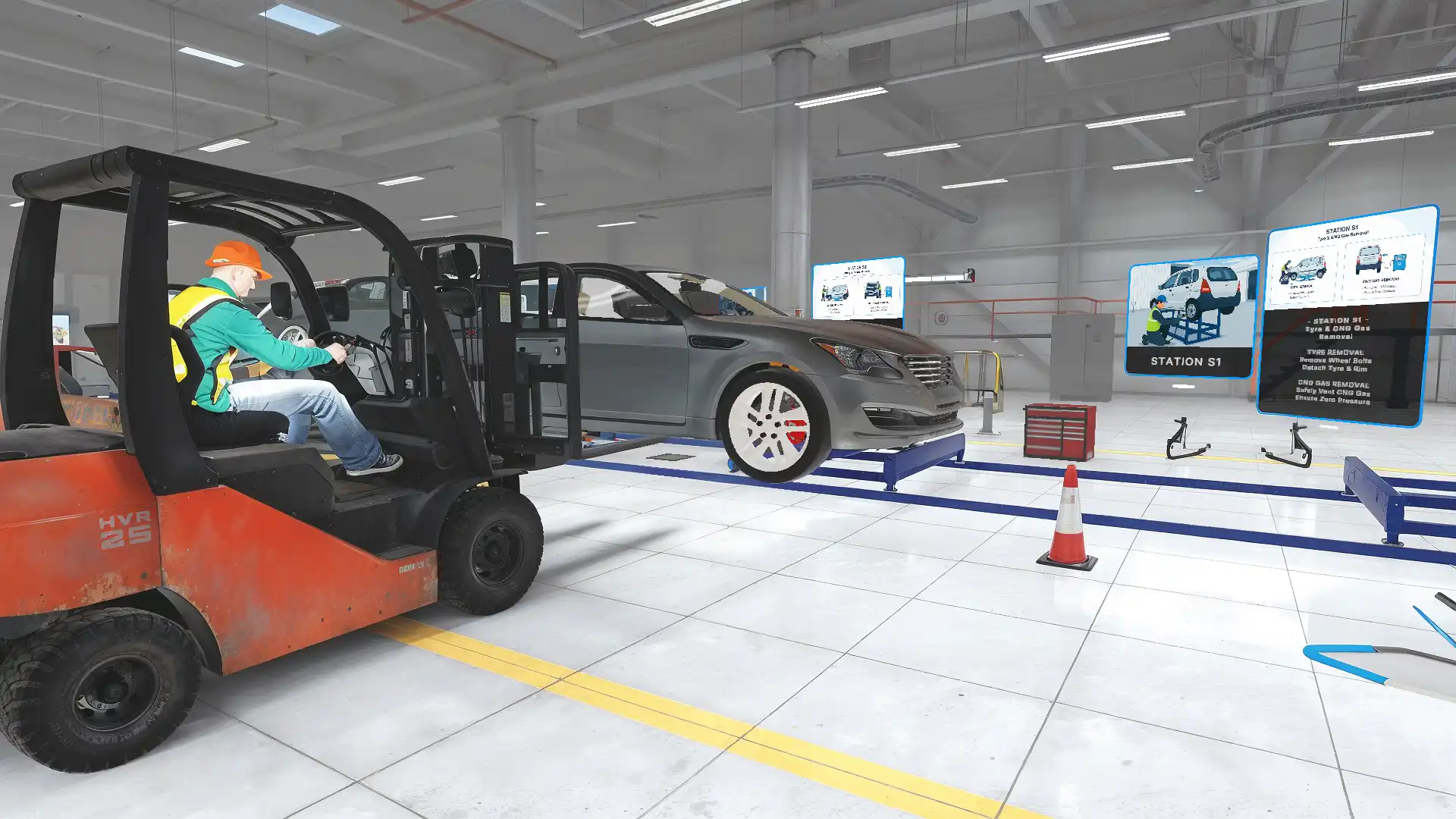
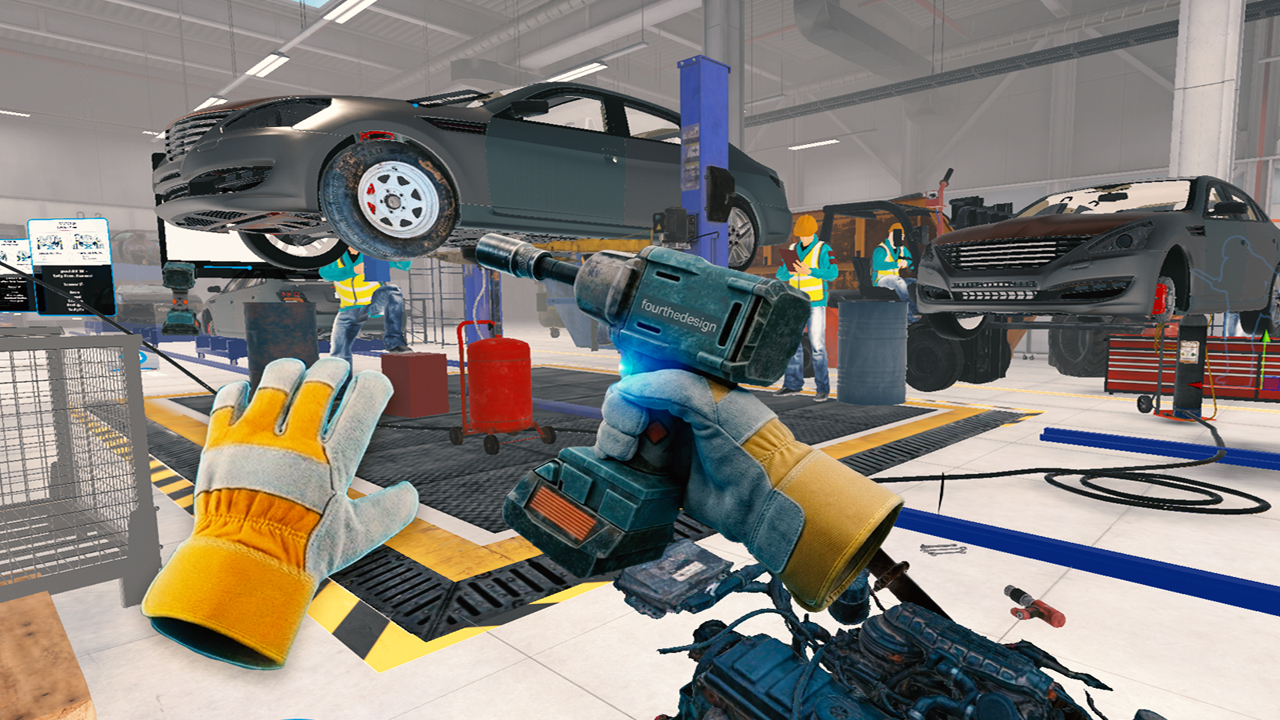
Within the EIT RawMaterials-backed C-MineTech project, Fourthedesign contributes immersive VR learning experiences and interactive industrial simulations around vehicle dismantling, material recovery and circular-economy workflows. This is a real industrial training project and demonstrates our experience translating technical processes into spatial, interactive learning.
C-MineTech should not be presented as proof that we have already delivered every fire, electrical or emergency training scenario listed above. Those scenarios are potential applications to be scoped and validated with a client’s safety experts. See the C-MineTech industrial VR training case study for the actual project scope.
How Much Does VR Safety Training Cost?
There is no reliable single price for a custom VR safety training platform. A short hazard-spotting pilot using an existing 3D environment has a different production effort from a multi-location training system with custom interactions, instructor dashboards, multiple languages and several VR headsets.
A focused pilot typically starts with one environment, one learning objective, a short scenario and basic result feedback. A multi-scenario program adds different hazards, richer interactions, assessment and content variations. An enterprise deployment may also require user management, analytics, LMS connections, device provisioning and continuing support.
When preparing a quote, the main cost factors are the environment’s size and realism, number of scenarios, complexity of character and equipment behaviors, voiceover and language versions, assessments, backend integration, target hardware and onsite support. Hardware purchase or rental, travel and operator assistance should be priced separately when they are needed.
A business should request a scoped pilot budget plus optional extensions, rather than a headline price with ambiguous inclusions. For additional background, see our guide to the cost of VR training development. Fourthedesign can prepare a specific proposal after reviewing the facility, learning goals and available materials.
How Do You Measure Return on Investment?
It is tempting to promise lower incident rates or dramatic time savings, but these are outcomes that must be measured in the specific organization. Before a pilot, establish a baseline: training hours, assessment results, the frequency of repeated instruction, access to facilities, instructor time and learner confidence. Do not use a drop in reported incidents as the only indicator of learning effectiveness.
During the pilot, compare knowledge checks, hazard-identification accuracy, incorrect responses, task completion and post-session practical assessments. Where possible, include a later follow-up to see whether learning transfers beyond the headset. This creates evidence for the next investment decision instead of relying on impressive screenshots.
Frequently Asked Questions About VR Safety Training
Can VR simulate fires, electrical risks and working at height?
Yes, a custom VR application can present these hazards and assess the learner’s decisions. The actual content and acceptable responses must be developed with qualified safety specialists.
Is VR safety training suitable for employees with no VR experience?
Often yes, when the session includes a short introduction, simple controls, facilitator support and appropriate comfort settings. A non-VR alternative may be necessary for some employees.
Can VR safety training replace a legally required certificate?
Not by itself. The employer must verify the applicable legal and occupational requirements. VR is best treated as a training component unless a specific authority or scheme explicitly accepts it for a defined purpose.
Can the application resemble our factory?
Yes. Existing CAD, drawings, photographs and appropriate reference material can guide a custom environment. The necessary accuracy depends on whether the goal is general safety awareness, equipment recognition or a site-specific procedure.
Can we train several employees with one headset?
Yes, with planned rotation, hygiene, charging and session management. Multiple simultaneous headsets or multiplayer interaction require additional equipment and software planning.
Can training results be exported?
They can be, if reporting is included in the agreed scope. The data fields, administrator permissions, retention and privacy practices must be specified in advance.
How long does it take to develop a module?
It depends on the number and complexity of scenarios, available 3D materials, review cycles and integration needs. Start with a representative pilot before committing to a full scenario library.
Does VR need an internet connection?
Some standalone training applications can run offline, while online results synchronization, multiplayer or cloud dashboards require connectivity. Offline operation must be designed and tested as a project requirement.
Build a VR Safety Training Pilot with Fourthedesign
Fourthedesign develops custom interactive VR environments and industrial training experiences. We can work with your HSE team to define a specific learner task, evaluate available site drawings and plan a practical pilot for the devices your organization will use. Our focus is usable interaction, repeatable scenarios and clear technical scope—not generic promises that VR alone will eliminate accidents.
Explore VR training for manufacturing, review the C-MineTech real project or contact Fourthedesign to discuss your safety training brief.

