



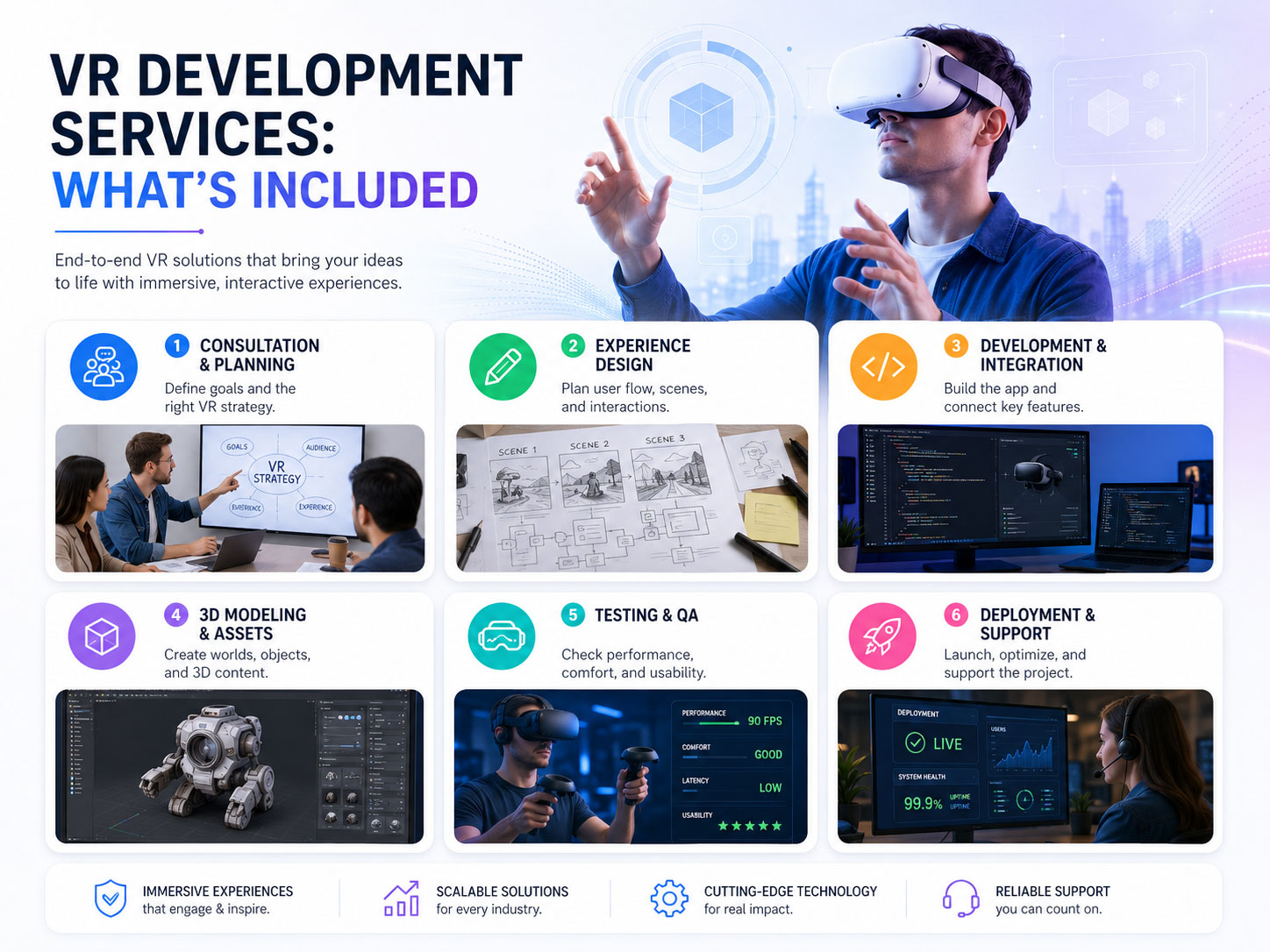
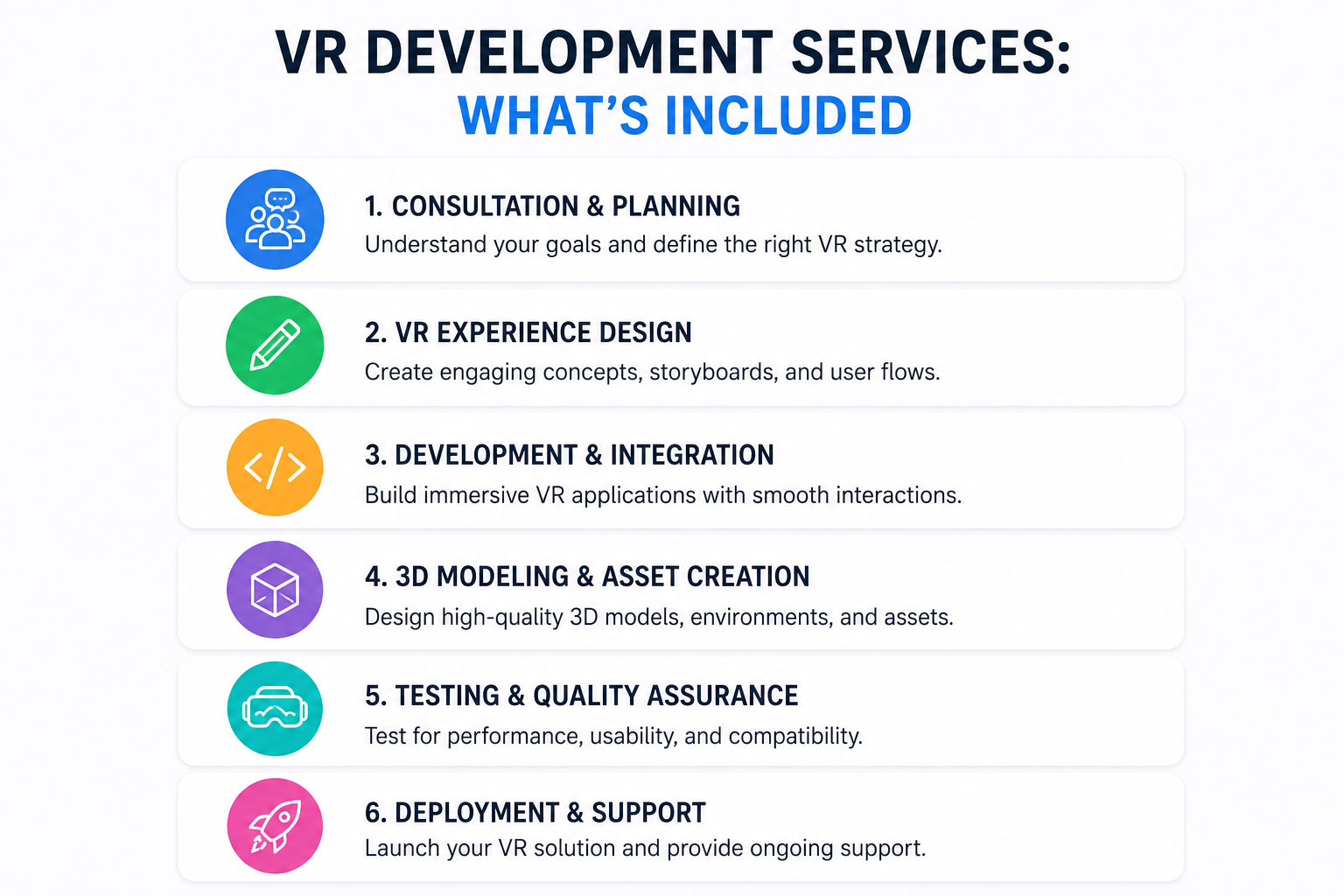
VR Development Services: What’s Included
VR Development Services: What You’re Actually Paying For (and How to Commission It Right)
“VR development” is one of those phrases that sounds precise but isn’t. Under that single label sits everything from a five-minute proof-of-concept demo a developer hacks together in a week, to a multi-user enterprise training platform with analytics dashboards, content-management tools, and a five-year support contract. The price range between those two is genuinely 70x. So when a quote lands in your inbox, the first question isn’t “is this expensive?” — it’s “what exactly is being built, and does it match the problem I’m trying to solve?”

This guide is written for the person signing the cheque, not the person writing the code. It breaks down what’s actually inside a VR development services engagement, how a project unfolds, where the budget really goes, and how to tell a serious partner from a risky one — so you set expectations and budget that survive contact with reality.
What VR Development Services Actually Include
A finished VR experience looks like one seamless thing to the user. Behind it are six distinct disciplines, each with its own cost and its own way of going wrong.
- Concept and UX design. This is the part most clients underestimate. Interaction in VR is nothing like screen UX — there are no fixed buttons, no mouse, no safe assumption about where the user is looking. People reach, grab, lean, and turn around. Good VR UX design decides how a user acts, not just what they see, and getting it wrong produces nausea, confusion, and demos that get abandoned in the first 30 seconds.
- 3D asset creation. Environments, characters, props, machinery. This is usually the single largest line item, and it scales directly with fidelity. A stylised training room and a photoreal replica of your actual facility are not in the same universe of effort.
- Programming. Interaction logic, physics, state management, hardware integration, and — if multiple people share the space — networking. This is where “it works on my headset” quietly becomes “it works reliably for 30 trainees at once,” and the gap between those two is where projects overrun.
- Audio design. Spatial audio isn’t a finishing touch in VR, it’s a core immersion mechanism. Sound that correctly comes from behind you or to your left is what convinces your brain the space is real. Flat stereo audio breaks the illusion instantly.
- Cross-platform testing. A build that runs beautifully on one headset can stutter, render wrong, or crash on another. Testing across the actual target hardware — not an emulator, the real devices — is non-negotiable.
- Deployment and distribution. Getting the app onto headsets is its own project: sideloading, app-store submission, or enterprise mobile device management (MDM) for a fleet of company-owned devices. For a 50-headset rollout, deployment can be as much work as a feature.
How a VR Project Actually Unfolds
Most studios will show you a tidy linear timeline. Reality is messier — phases overlap, and discovery decisions echo through everything that follows. Here’s the honest version.
Discovery (1–2 weeks)
Clarify the use case, the target hardware, and — critically — the success metrics. “Make a VR experience” is not a brief. “Reduce onboarding time for new line operators by 30%, measured over their first month” is. The quality of this phase determines whether the rest of the budget is well spent or wasted.
Design (2–4 weeks)
UX flows, environment design, and interaction prototypes. A grey-box prototype you can actually put on your head beats fifty pages of documentation. Insist on trying something early.
Production (8–20 weeks)
Asset creation, programming, and integration — the bulk of the time and cost. The spread here is enormous because it’s driven entirely by scope: one scenario or twelve, stylised or photoreal, single-user or networked.
QA and Testing (2–4 weeks)
Hardware testing, user testing, and bug fixing. The user testing matters as much as the bug fixing — real users will interact in ways no developer predicted, and finding that out before launch is far cheaper than after.
Deployment (1–2 weeks)
Distribution setup, device provisioning, and training the people who’ll run it day to day.
Total: roughly 14–32 weeks for a typical project — though a tight single-scenario demo can land faster, and a full enterprise platform can run well beyond.
The Hardware Decision (and Why It’s a Cost Decision)
Your choice of headset isn’t a technical footnote — it shapes the budget, the visual ceiling, and how painful deployment will be. There are three broad tiers.
- Standalone (Meta Quest, Pico). Lower hardware cost, dramatically easier deployment, no cables, no PC per user. The trade-off is rendering performance — the headset is doing all the work itself, so assets must be optimised hard. For most training and most installations, this is the pragmatic choice, and it’s where the bulk of real-world VR is shipping today.
- PC-tethered (Valve Index, HP Reverb). Premium visuals, because a full gaming PC drives each headset. The catch is exactly that: a gaming PC per user, plus cables, plus space. Justifiable when visual fidelity is the entire point — high-end architectural visualisation, design review, photoreal product work.
- Specialty headsets (HTC XR Elite, Varjo). Enterprise-grade features — eye tracking, extreme resolution, mixed-reality passthrough — at a much higher unit cost. Right for specific high-stakes applications; overkill for most.
The rule that saves money: choose hardware for the use case, not for what’s coolest. A €30,000 visual upgrade is wasted if your goal is procedural training where a clean, readable standalone build performs better and deploys to 50 people without a server room.
The Hidden Multiplier: Single-User vs Multi-User
This is the cost factor that surprises clients most. A solo VR experience and a shared one where several people occupy the same virtual space are fundamentally different builds. Multi-user means networking, synchronisation, voice, session management, and an entire category of bugs that only appear when real people connect at once. It can comfortably double the programming scope.
It’s also, often, where the value is — collaborative training, remote design review, team scenarios. If you need it, budget for it honestly from day one. Studios that come from a multiplayer and game development background tend to handle this far more comfortably than those who treat networking as an add-on, because real-time synchronisation is the daily bread of game engineering.
Where VR Development Actually Pays Off
VR is not the right answer for everything. It earns its cost in situations where doing the real thing is dangerous, expensive, impossible, or hard to repeat at scale.
- Industrial and safety training. Practising a hazardous procedure — confined-space entry, machinery lockout, emergency response — with zero physical risk, repeated as many times as needed, with every attempt logged. This is where VR training services consistently show measurable returns on retention and reduced incident rates.
- Healthcare and medical. Surgical rehearsal, diagnostic skills, and patient-education simulations in a safe, controlled environment that no textbook or video can match.
- Cultural heritage and museums. Walking through a reconstructed ancient site as it once stood, or experiencing a historical event with accurate visuals and spatial sound — turning a passive visit into something visitors actually remember.
- Real estate and architecture. Letting buyers and stakeholders walk through a building that doesn’t exist yet, explore layouts, and swap finishes live — closing the gap between a drawing and a decision.
- Defense and command training. Mixed-reality tactical scenarios and operational pictures rehearsed without deploying a single real asset.
If your use case sits in one of these buckets, the maths usually works. If it doesn’t, a good partner will tell you so — and that honesty is worth more than a sale. You can see the full breadth of applications across Virtual Reality services in Greece to gauge where your project fits.
Realistic Budget Ranges
These are working ranges, in euros, and they exclude hardware, ongoing content updates, and post-launch support — costs that are real and that you should plan for separately.
- Single-scenario VR demo: €5,000 – €30,000. One environment, one core interaction loop. Great for proving a concept or for a focused sales/marketing piece.
- Multi-scenario VR training: €20,000 – €80,000. Several modules, progression, feedback, and often basic analytics.
- Enterprise VR platform: €50,000 – €350,000+. Multi-user, content-management tooling, LMS/SCORM integration, dashboards, fleet deployment, and a support contract.
What pushes the number up: photoreal fidelity, custom 3D assets of your real facilities, multi-user networking, multiple hardware targets, analytics and reporting, and integration with your existing systems. What brings it down: stylised art that reads clearly without being photoreal, a single hardware target, reusing existing 3D assets, and a tightly-scoped first release you expand later. The smartest budgets start narrow, prove value, and grow.
How to Tell a Serious Partner From a Risky One
The price quote tells you less than how the partner behaves before you’ve paid anything. Watch for these signals.
- They interrogate your success metrics instead of just nodding at your feature list. A partner who asks “how will you know this worked?” is protecting your investment.
- They push back on scope. Anyone who says yes to everything is either inexperienced or planning to renegotiate later. Constructive “you don’t actually need that” is a green flag.
- They show you real work on real hardware — a prototype you can wear, not just a render or a slideshow.
- They have a clear answer on optimisation and deployment, because that’s where amateur projects die. “It runs in the editor” is not the same as “it runs on 40 Quest headsets in your facility.”
- They’re honest about what VR can’t do. The strongest partners will occasionally talk you out of VR, or toward a simpler interactive solution, when that’s the right call.
After Launch: The Part Nobody Quotes For
A VR project doesn’t end at delivery. Headset operating systems update and can break builds. Your content will need refreshing. Your team will want new scenarios once they see the value. Plan for a support and update relationship, not a one-off transaction — and ask any prospective partner what that looks like before you sign, not after.
Let’s Scope Your VR Project Properly
The difference between a VR project that delivers and one that disappoints is almost always decided before a single asset is built — in how clearly the use case, hardware, metrics, and scope were defined. That’s the conversation worth having first.
If you’re weighing a VR initiative — a demo to prove the idea, a training programme, or a full platform — let’s talk through what it would actually take and what it should realistically cost.
Discuss your VR project: fourthedesign.gr/en/contact-fourthedesign/
